

Coupon Codes Dashboard
Overview
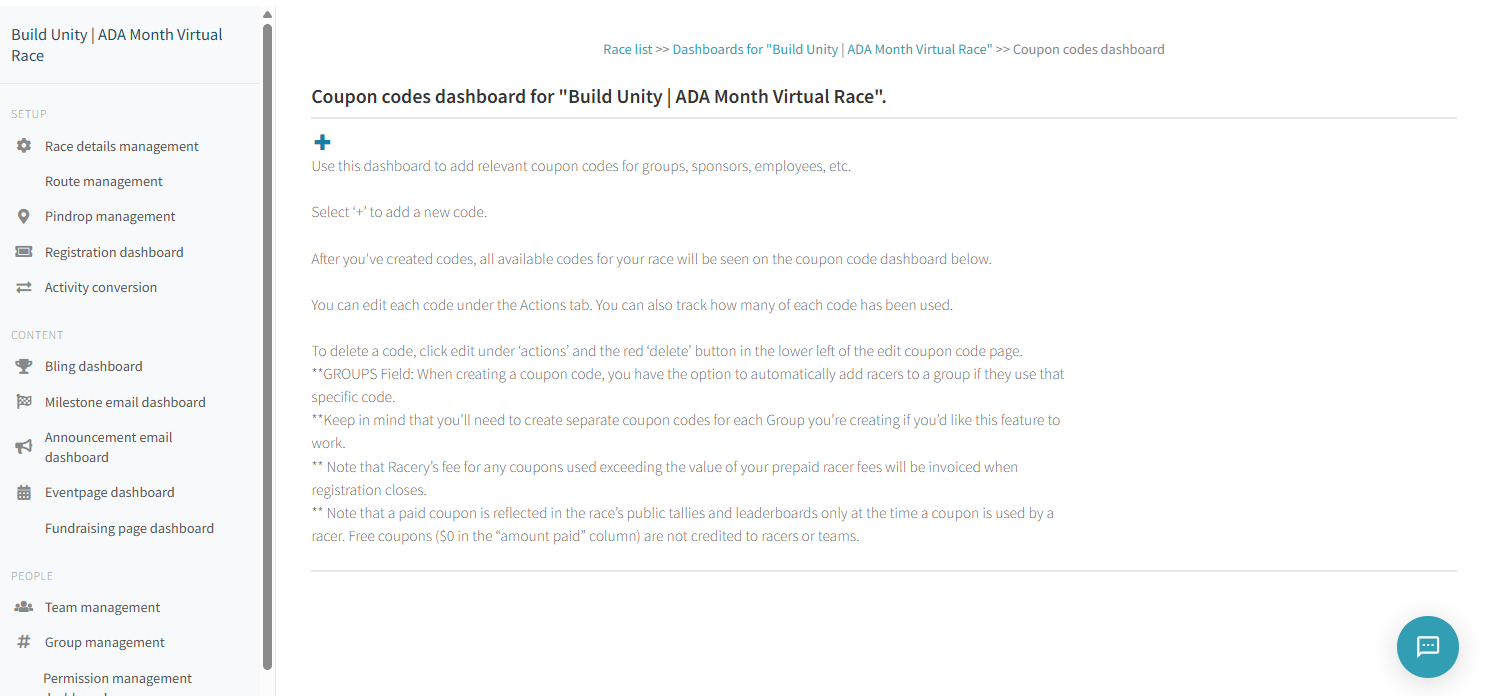
The Coupon Codes dashboard lets you create discount and free-entry coupon codes for groups, sponsors, employees, partners, and VIPs. Coupons can optionally auto-assign racers to a specific group when redeemed.
Accessing the Dashboard
From your race's dashboard hub, click Coupon codes in the sidebar.
Creating a Coupon
Click the + button at the top of the dashboard to open the coupon editor. Each coupon has the following fields:
| Field | Description |
|---|---|
| Code | Case-insensitive, single-word, letters only (hyphens and underscores allowed). 15 character limit. |
| Value in USD | Up to 2 decimal places. Leave blank for free-entry codes. |
| Amount | Total number of times this code can be used. Leave blank for unlimited uses. |
| Group | Auto-assign racers who use this code to the specified group. |
| Enabled | Toggle the coupon on or off without deleting it. |
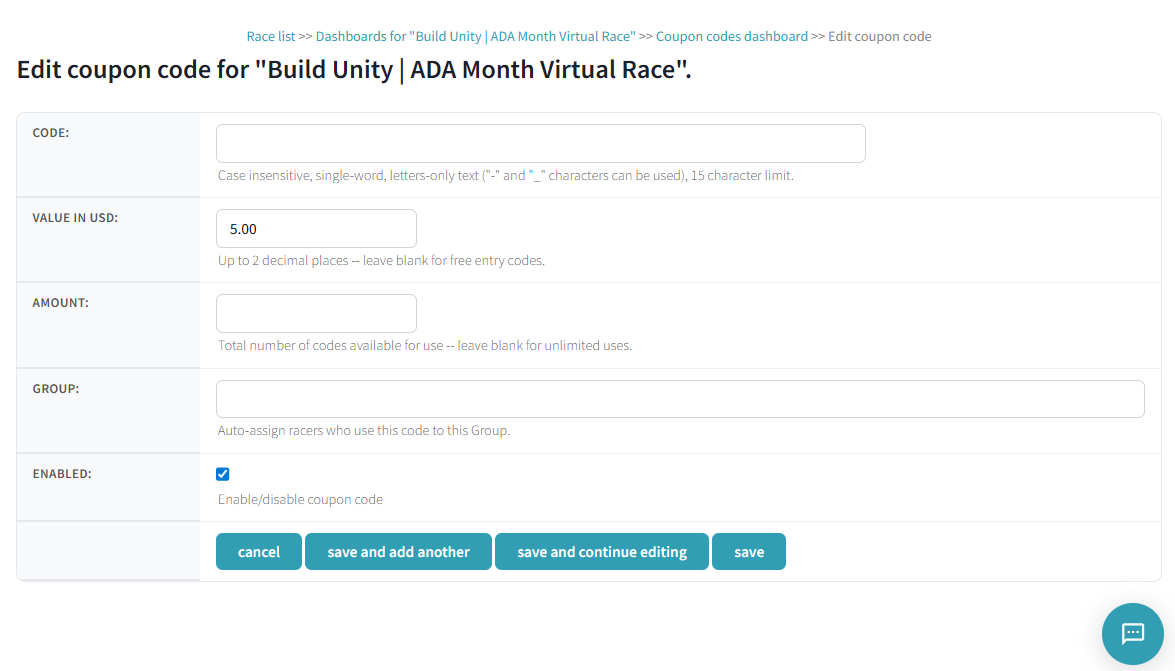
Save options: cancel, save and add another, save and continue editing, or save.
Coupon Types
Discount Coupons
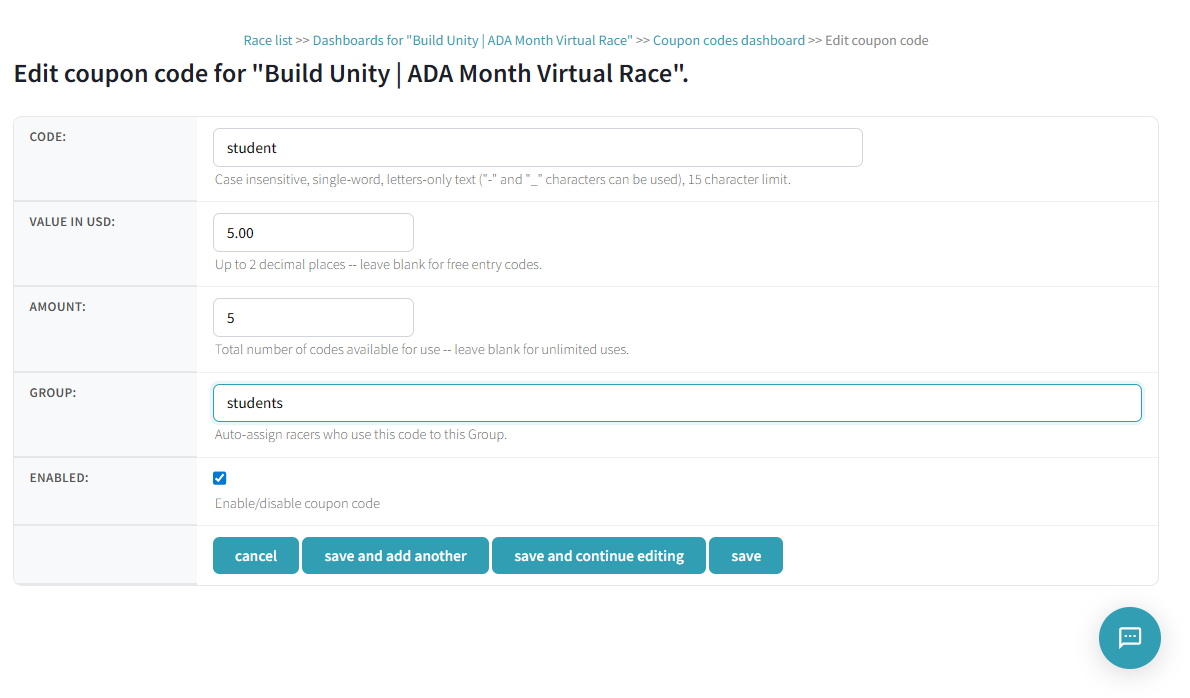
Set a dollar amount in the Value in USD field to create a discount. For example, a code named student with a value of 5.00 gives racers $5 off the registration fee.
Free Entry Coupons
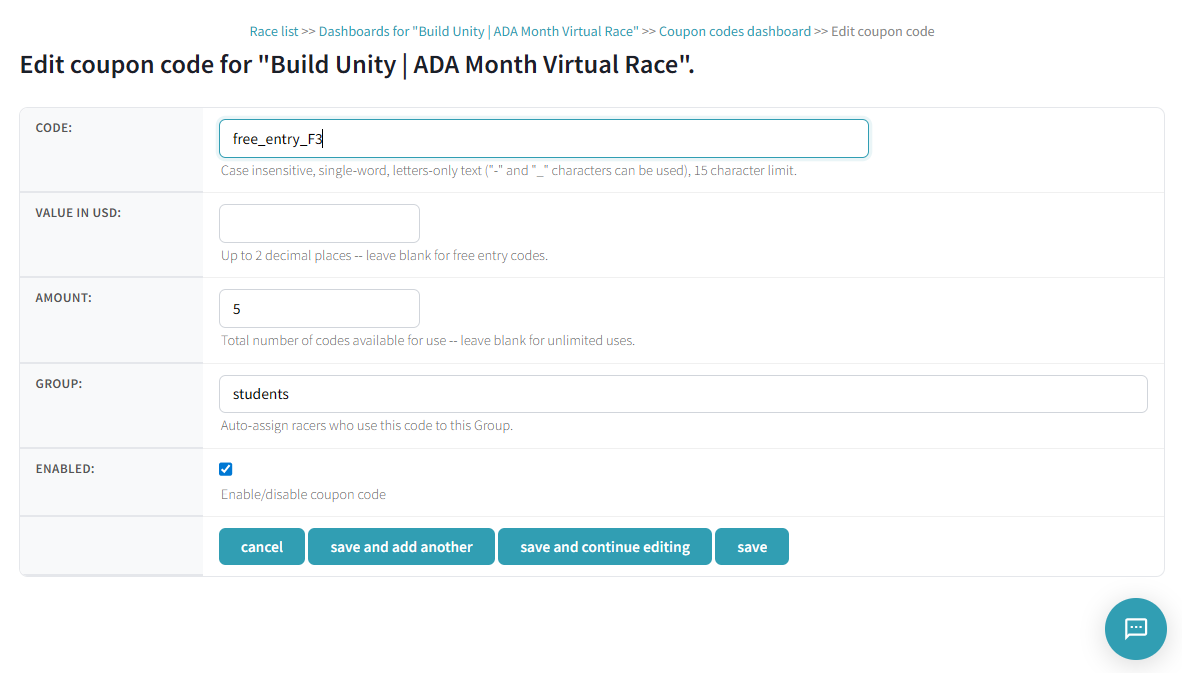
Leave the Value in USD field blank to create a free-entry coupon. For example, a code named free_entry_F3 with no value lets racers register at no cost.
Group Auto-Assignment
When creating a coupon, you can link it to a group in the Group field. When a racer redeems the code, they are automatically added to that group.
Managing Coupons
All coupons for your race appear in a table on the dashboard with the following columns:
| Column | Description |
|---|---|
| Code | The coupon code text |
| Created | Date the coupon was created |
| Value | Dollar discount amount |
| Amount Paid | Total revenue collected through this coupon |
| Used | Number of times the code has been redeemed |
| Remaining | How many uses are left |
| Group | Linked group (shown as #groupname) |
| Actions | Edit icon to modify or delete the coupon |

To edit a coupon, click the edit icon under Actions. To delete a coupon, open the editor and click the red "delete" button in the lower left.
Common Use Cases
Sponsors typically use coupon codes in these scenarios:
- Employee access: Create a free-entry code (e.g.,
blessing_everb) so sponsor employees can join without paying - Demo testing: Create a free code (e.g.,
free-entry) for sponsors to test the registration flow before launch - Town hall promotions: Create a limited-use discount code (e.g.,
town_hallwith a $10 discount for 20 uses) to distribute at events - Partner incentives: Create codes for community partners, affiliates, or VIPs
- Bulk buy links: Combine coupons with the bulk buy URL (
racery.com/r/<slug>/bulkbuy) for organizations purchasing multiple entries
Note: The Coupon Codes dashboard is a premium feature available with prepaid race packages. The coupon field appears on the registration page automatically when coupons are enabled.
Billing Notes
- Coupons used beyond your prepaid racer fees will be invoiced when registration closes
- A paid coupon is reflected in the race's public tallies and leaderboards only at the time a coupon is used by a racer
- Free coupons ($0 in the "amount paid" column) are not credited to racers or teams in public standings
Next Steps
Contact support if you have questions.